Hire a certified IT asset disposal (ITAD) provider for any computer, server, or drive that has held business or personal data. A proper service collects the equipment, wipes or destroys the data to a documented standard, recycles or remarkets what’s left, and hands you a serialised certificate of destruction as proof. Melbourne City Rubbish offers this collection and disposal service, and a quick quote is the fastest way to see what it costs for your fleet.
TL;DR:
- Confirm providers can produce serialised certificates of destruction, chain-of-custody documentation, and proof of downstream recycling before hiring.
- Ensure data sanitisation follows recognised standards like NIST SP 800-88, with physical destruction as a backup for drives that cannot be reliably wiped.
- Ask for clear, itemised quotes specifying collection, destruction, and reporting costs, and verify the recycling destination of the equipment.
- Log serial numbers pre-collection and reconcile certificates against your asset register to avoid gaps that can lead to regulatory or audit issues.
- Be aware that proper IT asset disposal reduces legal, environmental, and reputational risks, particularly when involving metals recovery or remarketing.
Table of Contents
- What does a professional IT asset disposal service actually include?
- Why can’t you just skip to a general rubbish contractor?
- How do you vet a contractor before signing anything?
- What actually happens on collection day?
- What drives the price, and when do you get money back?
- How long does the whole process take from signing to certificate?
- How do you manage the risk of a breach or environmental harm?
- What goes wrong when businesses get this wrong?
- How Melbourne City Rubbish handles IT asset disposal
- Sources
What does a professional IT asset disposal service actually include?
A genuine ITAD job isn’t just “someone takes the old computers away.” It’s a documented chain of five steps, and every one of them should show up on your paperwork afterwards.
- Secure collection and serialised manifesting. Every device gets logged by serial number before it leaves your premises. Without this, you can’t prove what left your building or when.
- Chain of custody and controlled transport. The provider tracks each asset from your loading dock to their processing facility, with no unaccounted gaps.
- Data sanitisation. This means either a certified software wipe following NIST SP 800-88 guidelines, or physical destruction (shredding or crushing) for drives that can’t be reliably wiped.
- Remarketing or recycling. Working equipment gets tested and graded for resale; everything else goes to materials recovery, with hazardous components handled separately.
- Final reporting. You should receive certificates of destruction, recycling receipts, and often weight or diversion figures showing what was processed.
Good providers describe this as a standard workflow, not a premium add-on. If a quote skips the sanitisation or reporting step, keep shopping.
Why can’t you just skip to a general rubbish contractor?
Because data on a decommissioned laptop is still your legal responsibility until it’s destroyed. The Privacy Act 1988’s Australian Privacy Principle 11 requires businesses to destroy or de-identify personal information once it’s no longer needed, and several states, including Victoria and Western Australia, now ban e-waste from landfill outright. Dumping old drives in a general skip can breach both obligations at once.
A 2026 survey found that 79% of executives believe they understand the risks tied to retired IT assets, yet nearly half admit their own disposal practices are inconsistent. That gap between confidence and execution is exactly where breaches happen, and the cost of a breach linked to improper disposal can run into the tens of millions.
Beyond the legal exposure, there’s a reputational and audit angle too:
- Regulators and insurers increasingly expect documented disposal trails as part of standard risk controls.
- ESG reporting frameworks now ask for e-waste diversion data, which a proper ITAD certificate provides automatically.
- Auditors want to reconcile every disposed serial number against your asset register, not just a rough headcount.
How do you vet a contractor before signing anything?
Treat this like any other procurement decision, not a favour to whoever answers the phone first. Here’s the order to work through it.
- Ask for certifications up front. Look for ISO/IEC 27001 (information security), ISO 14001 (environmental management), and alignment with AS/NZS 5377 for e-waste handling. A provider without at least one of these hasn’t invested in the compliance side of the job.
- Confirm the data destruction method. Ask whether they follow NIST SP 800-88 for wiping, use tools like Blancco for verification, or offer witnessed shredding for drives that need physical destruction.
- Request operational proof, not promises. You want a serialised certificate of destruction, a signed chain-of-custody manifest, and confirmation of transport insurance before the truck arrives.
- Ask where the materials actually go. A legitimate contractor names their downstream recycling partners and can produce recycling certificates. If they can’t say where equipment ends up, assume it might be exported rather than processed onshore.
- Clarify value recovery upfront. Some providers offer buyback or remarketing on usable equipment; others charge a flat collection fee regardless of condition. Know which one you’re getting before you compare prices.
Pro Tip: Ask every quoted provider the same question: “Can you show me a sample certificate of destruction from a past job?” A provider with nothing to show is a red flag worth walking away from.
Red flags worth remembering: vague answers about where drives go, no mention of serial numbers anywhere in the quote, and prices dramatically below competitors with no explanation for the gap. For general guidance on comparing quotes fairly, see how to choose a rubbish removal service.
What actually happens on collection day?
The process runs in five stages, and knowing them means you can flag a problem before it becomes one.
- Booking and quote. You provide device counts, types, and location; the provider gives you a firm price and a collection window.
- Pre-collection inventory. Someone from the provider (or you, working from your asset register) logs serial numbers before anything moves.
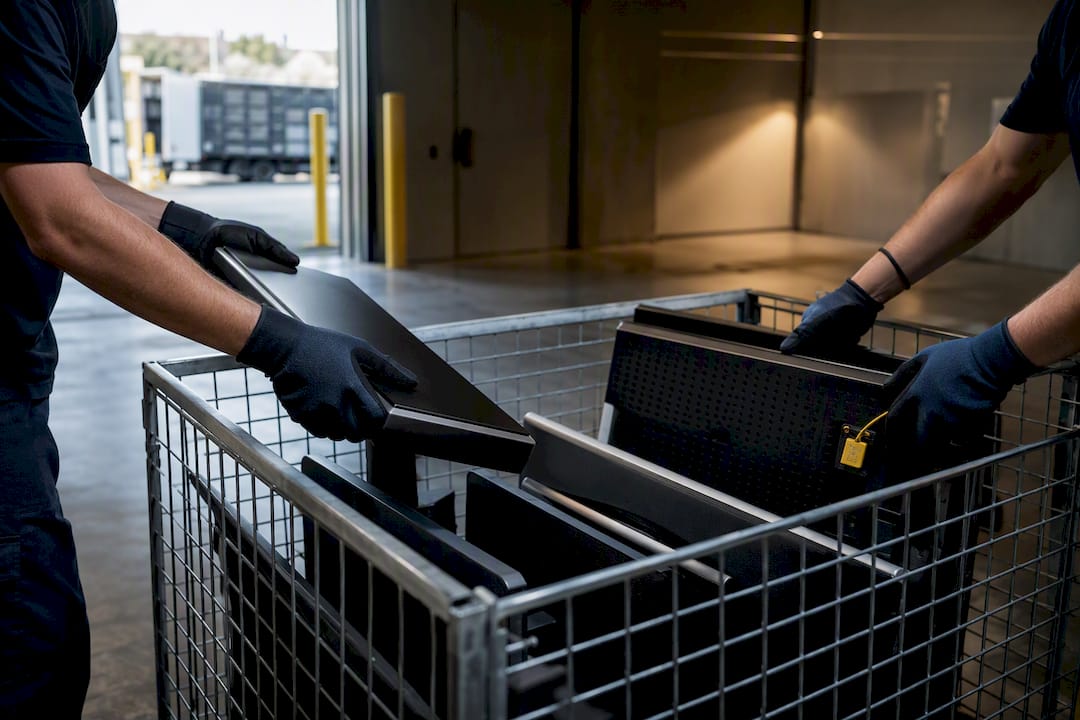
- Secure pickup. Devices are loaded under a signed manifest that both parties keep a copy of. For highly sensitive equipment, some providers will remove and destroy drives on-site before the rest of the unit leaves the building, which eliminates chain-of-custody risk entirely.
- Processing. Sanitisation, testing, grading, and materials separation happen at the facility.
- Certificate and final report. You receive serialised certificates tied back to your original device list.
Timeframes vary by volume, but most straightforward office collections happen within a week of booking, with certificates following within two to three weeks once destruction is verified. When the paperwork arrives, reconcile every serial number against your own asset register rather than just filing the certificate unread. That’s the step most businesses skip, and it’s the one an auditor will actually check. For collection logistics specific to electronic equipment, Melbourne City Rubbish’s e-waste collection service outlines what’s covered.
What drives the price, and when do you get money back?
Quotes vary more than most people expect, and the reason usually comes down to five factors: total volume, device condition, whether on-site destruction is required, transport distance, and the sanitisation method chosen. Physical shredding costs more than a software wipe because it destroys resale value along with the data.
Buyback changes the maths. A working business laptop that’s been securely wiped and refurbished can retain roughly 15 to 30% of its original purchase price depending on age and condition, and that recovery can offset or even eliminate the collection fee for a decent-sized fleet refresh. Not every provider offers this. Specialised remarketing outfits do; general rubbish removal services often don’t, so ask directly rather than assuming.
Be wary of quotes that undercut everyone else by a wide margin:
- Ask what sanitisation method is included in the base price versus charged as an extra.
- Request an itemised breakdown covering collection, destruction, and reporting separately.
- Ask for proof of downstream receipts before you sign, not after the job’s done.
A quote that’s silent on any of these three items is usually a quote that’s cutting corners somewhere.
How long does the whole process take from signing to certificate?
Most business ITAD jobs move through four phases, and a realistic total timeline runs from same-week to around three to four weeks depending on volume and destruction method.
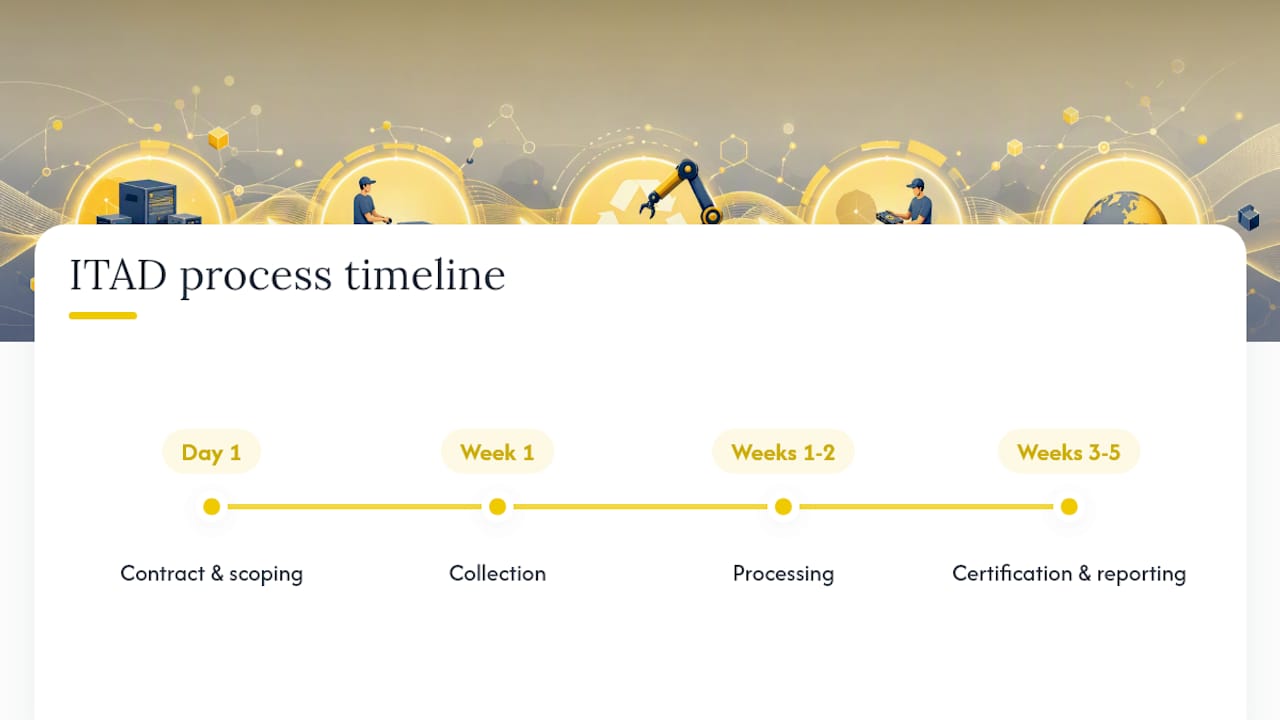
Phase one: contract and scoping (day one). You confirm device counts, locations, and whether on-site drive destruction is needed. This is also when you lock in the sanitisation standard, since retrofitting a stricter method later usually means a new quote.
Phase two: collection (typically within a week of booking). The provider arrives, logs serial numbers against your asset register, and removes equipment under a signed manifest. For office fleets under 50 devices, this is often a single visit.
Phase three: processing (one to two weeks). Wiping, testing, and grading happen at the facility. Physical destruction jobs move faster through this phase than remarketing jobs, since there’s no testing or resale grading involved.
Phase four: certification and reporting (two to three weeks post-collection). Serialised certificates and recycling receipts land in your inbox. This is your cue to reconcile every certificate against the pre-collection inventory, not just file it away.
Large fleet refreshes with hundreds of devices can stretch this timeline out, particularly if remarketing testing is involved. Ask for a written timeline estimate at the quoting stage so you’re not left guessing.
How do you manage the risk of a breach or environmental harm?
Two risks run alongside every disposal job: a data breach from equipment that leaves your building improperly wiped, and an environmental liability from e-waste dumped or exported incorrectly. Both are manageable with the same basic controls.
For data risk, the safest approach is removing and physically destroying storage media on-site for anything holding sensitive material, then letting the contractor take the remaining carcass for recycling. This closes off any argument about what happened between your loading dock and their facility. For lower-sensitivity equipment, a certified software wipe with a matching certificate is usually sufficient, provided the certificate names the standard used, the device serial number, and an operator signature.
For environmental risk, insist on evidence of downstream recycling rather than taking a provider’s word for it. Ask for recycling certificates that show where materials went, and be specific about export: some cheaper “recycling” arrangements simply ship e-waste offshore, which can breach state landfill and hazardous-waste rules even if it never touches Australian soil after collection. Treating ITAD as a documented risk control, rather than a one-off clean-up task, is what separates businesses that pass an audit cleanly from ones that scramble to explain a gap in their paperwork.
What goes wrong when businesses get this wrong?
The most common failure pattern isn’t dramatic. It’s a business that assumes “recycling” and “secure data destruction” are the same service, books the cheapest option, and only discovers the difference when a drive resurfaces with recoverable data still on it, or when an auditor asks for a certificate that was never issued.
A second common failure involves fleet refreshes where dozens of devices get handed to a contractor with no pre-collection inventory. Weeks later, the business can’t reconcile what was collected against what they actually owned, because nobody logged serial numbers before the truck left. When a certificate finally arrives, it lists a device count with no way to match it back to the original asset register.
A third pattern shows up with exported e-waste. A business assumes local disposal because the collection happened onshore, only to later learn the materials were shipped overseas for processing under looser environmental standards, creating a compliance gap the business didn’t know it had.
The lesson across all three is the same: verify before you sign, not after the truck leaves. A pre-collection inventory, a signed manifest, and a certificate that names the sanitisation standard used aren’t bureaucratic extras. They’re the only things standing between you and a very awkward conversation with a regulator or an insurer months down the track.
How Melbourne City Rubbish handles IT asset disposal
Melbourne City Rubbish is a straightforward option if you want secure collection without chasing down three separate vendors for pickup, data handling, and recycling. Jobs are scheduled to a fixed window, run with the same punctuality and no-mess guarantee applied to every other service line, and can be booked with carbon-neutral disposal as an opt-in for businesses tracking their environmental footprint. Every job includes a signed manifest at collection, and you can ask for a certificate of destruction and recycling receipts once the equipment has been processed, giving you the paperwork trail an audit or insurer might ask for later.
Getting a quote is simple: tell us how many devices you’re disposing of, what type they are (laptops, servers, monitors, networking gear), your collection location, and whether any equipment needs on-site drive destruction before it leaves the building. That’s enough for an accurate price. Request a quick quote and you’ll have a firm collection window without needing to compare three separate contractors for the job.