If your office appliance has a plug, a battery or a power cord, it cannot go in the general rubbish or the recycling bin in Victoria. Printers, microwaves, monitors, heaters and servers all need a proper e-waste pathway: a drop-off point, a scheme collection or a booked pickup. Computers and printers also need their data wiped first. This guide covers what counts, what the law says, what it costs, and how to clear a whole office without a mess.
TL;DR
- E-waste is any item with a plug, battery or power cord. Since 2019 it has been illegal in Victoria to put it in household rubbish or landfill, according to the Victorian Government.
- Wipe or sanitise anything that has held personal information before it leaves the building. Your privacy obligations do not end at the loading dock.
- The national TV and computer scheme is free for households and small businesses, but charges may apply for larger businesses.
- Fridges, freezers and other white goods follow separate rules and are not accepted at the usual e-waste drop-offs.
- For bulk clearances, book a collection that handles the lifting, the loading and the paperwork in one visit.
Table of Contents
- What counts as an office appliance for disposal purposes
- Why it cannot go in the bin
- Step 1: Audit what you have
- Step 2: Protect your data before anything leaves
- Step 3: Choose the right pathway
- Step 4: Reuse, repair and donate where it makes sense
- Step 5: Check that the recycler is doing it properly
- White goods and other special items
- Clearing a whole floor: bulk appliance and fit-out jobs
- How we handle office appliance removal
- A simple checklist for the week of removal
- Why the rules keep getting stricter
- FAQ
- Sources
What counts as an office appliance for disposal purposes
The Victorian Government defines e-waste simply: any item with a plug, battery or power cord. That is a wider net than most office managers expect. It covers the obvious items and the ones people forget.
Typical office items that fall under it:
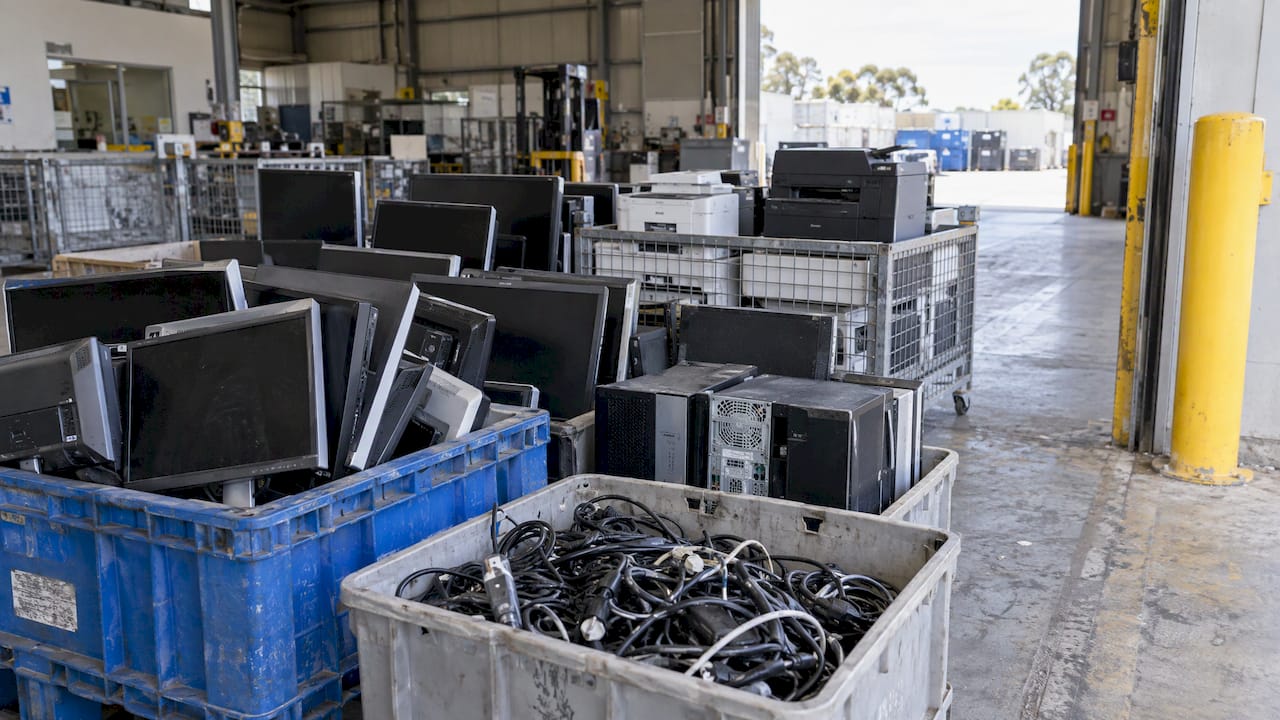
- Computers, laptops, monitors, keyboards, mice and docking stations
- Printers, scanners and photocopiers
- Servers, routers, switches and other network equipment
- Desk phones and mobile phones
- Projectors, televisions and conferencing screens
- Kitchenette appliances such as kettles, toasters and microwaves
- Heaters, fans, vacuum cleaners and power tools
- Batteries, chargers, power banks and UPS units
- Hard drives and USB storage
The City of Melbourne publishes a detailed list of accepted e-waste. It includes printers and photocopiers, servers and network gear, sound equipment, household-style electrical appliances, tools, battery packs and rechargers, and hard drives once they have been wiped of sensitive content.
The same page lists what is not accepted at its drop-off: chemicals, smoke alarms, air conditioners, halogen lights, x-ray equipment, medical equipment, vehicle batteries, white goods, fluorescent tubes and paint. If your clear-out includes any of those, plan a separate route for them.
Why it cannot go in the bin
The rule is not only about tidiness. The Victorian Government notes that e-waste in general waste and landfill can cause fires and release hazardous chemicals into the air, soil and water. Correct disposal also lets valuable materials be recovered and reused, as set out on the e-waste ban page.
The legal basis is the EPA’s Waste Management Policy for e-waste, which came into operation on 1 July 2019. From that date all e-waste has been banned from landfill in Victoria. The City of Melbourne also states plainly that electronic waste must not go into general waste or recycling bins.
There is also a practical reason for offices. A skip bin or a mixed waste pickup that contains a monitor or a battery can be refused at the transfer station, which means delays and extra cost. Sorting appliances out first keeps the rest of your clear-out moving.
Step 1: Audit what you have
Before you book anything, walk the floor and the storeroom with a clipboard. A short list saves you from buying the wrong service.
Sort items into four groups:
- Reusable and working. Recent monitors, working kettles, usable phones. These may be worth redeploying or donating.
- Data-bearing. Anything with storage: computers, laptops, printers with hard drives, servers, phones, USB drives, some copiers.
- Standard e-waste. Broken or obsolete electrical items with no data.
- Special handling. Fridges, freezers, air conditioners, fluorescent tubes, loose batteries and anything marked hazardous.
Note quantities too. Five old monitors and a printer can travel in a car to a drop-off. A fit-out of 80 desks, with screens, phones and a server cabinet, needs a truck and labour.
Step 2: Protect your data before anything leaves
The appliance is the smallest part of the risk. Stored information is the real exposure. If your business is covered by the Privacy Act, the Office of the Australian Information Commissioner (OAIC) explains that an entity must take reasonable steps to destroy or de-identify personal information it no longer needs. For electronic information, the reasonable steps depend on the hardware, and in some cases the hardware can be sanitised to completely remove what it stores.
The OAIC’s guide to securing personal information adds two points that matter for offices:
- Information counts as destroyed when it can no longer be retrieved. Hardware holding personal information must be properly sanitised.
- If you outsource the job, you must take steps to make sure the provider handles the information appropriately.
A practical wiping routine
- Make a list of every device that stores data, including printers, copiers and phones, not only computers.
- Back up anything the business still needs, then sanitise the device so the stored data cannot be retrieved. Ask your IT provider which method suits each device.
- Remove SIM cards, memory cards and USB sticks.
- Keep a simple register: asset tag, date, who cleared it, and where it went.
- If a device cannot be sanitised, ask your IT provider about secure destruction rather than a standard drop-off.
One point of caution on printers. Many modern multifunction devices keep scanned documents and job histories on internal storage. Our guide to secure office printer disposal walks through the options from free drop-off to full IT asset disposal.
Step 3: Choose the right pathway
There are four realistic routes for office appliances in Melbourne. The right one depends on volume, type and whether you want paperwork.
| Pathway | Best for | Cost to expect | Watch for |
|---|---|---|---|
| Reuse, redeploy or donate | Working, recent equipment | Usually nil | Wipe data first; charities often accept only tested items |
| National TV and computer scheme drop-off | Computers, screens, printers, peripherals in modest numbers | Free for households and small businesses | Charges may apply for larger businesses, and not every drop-off point is part of the scheme |
| Council or resource recovery drop-off | A few small items | Varies by site | Accepted lists differ; white goods and air conditioners are often excluded |
| Booked commercial collection | Bulk, mixed loads, fit-outs, make-good | Quoted per job | Confirm what is covered and how it is processed |
The national scheme, and where its limits sit
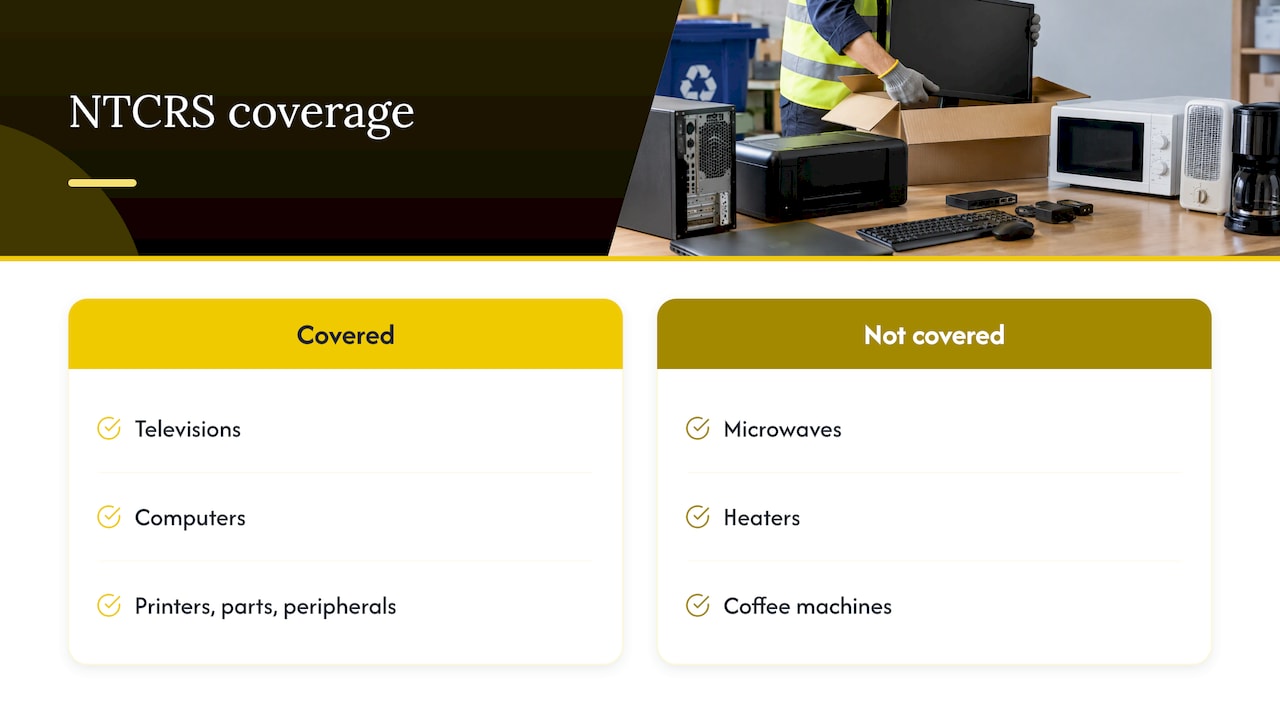
The Australian Government’s National Television and Computer Recycling Scheme (NTCRS), established in 2011, gives households and small businesses free access to industry-funded collection and recycling of televisions and computers, including printers, computer parts and peripherals. The scheme is designed to give around 98 per cent of Australians reasonable access, through permanent sites or one-off events.
The condition for businesses is in the detail. The department states that charges may apply for larger businesses, and that not all drop-off points are part of the scheme, so fees may be charged at some locations. Phone ahead, describe your volume, and ask what applies to your business size.
The scheme also only covers televisions and computer products. A microwave, a heater or a coffee machine sits outside it, so those need a council drop-off or a collection service.
Step 4: Reuse, repair and donate where it makes sense
Not every appliance is waste. A working monitor, a decent printer or a spare kettle can have a second life, and it often costs nothing to arrange.
Sensible ways to extend the life of office equipment:
- Redeploy internally. Move spare monitors and peripherals to staff who work from home or to a new starter’s desk.
- Offer to staff. Many businesses let employees take older but working items, after data has been cleared.
- Donate tested items. Community organisations and reuse shops tend to accept clean, working goods. Call first to check what they take.
- Repair before replacing. Simple faults in kitchen and heating appliances are often cheap to fix.
Whatever cannot be reused moves to the recycling stream. For furniture that goes with the appliances, our guide on whether to donate or recycle old furniture in Melbourne covers the same decision.
Step 5: Check that the recycler is doing it properly
Collection is only half the job. You want to know where the equipment ends up. Sustainability Victoria advises businesses to do their due diligence and to make sure the service they choose follows current regulations and permits. It also suggests checking whether the facility holds accredited certification under the e-waste standard.
That standard is AS 5377. It sets out the principles and minimum requirements for safe, environmentally sound collection, storage, transport and treatment of electrical and electronic equipment, and it covers data security and traceability as well. Under the NTCRS, co-regulatory arrangements have required since 1 July 2016 that all recycling is done by recyclers certified to AS 5377.
A good collection provider will tell you plainly how loads are sorted and where electronics go. Keep any paperwork they provide with your asset register.
White goods and other special items
Fridges, freezers and air conditioners are the items most often mishandled in an office clear-out. The City of Melbourne’s drop-off does not accept white goods or air conditioners, so do not turn up with them.
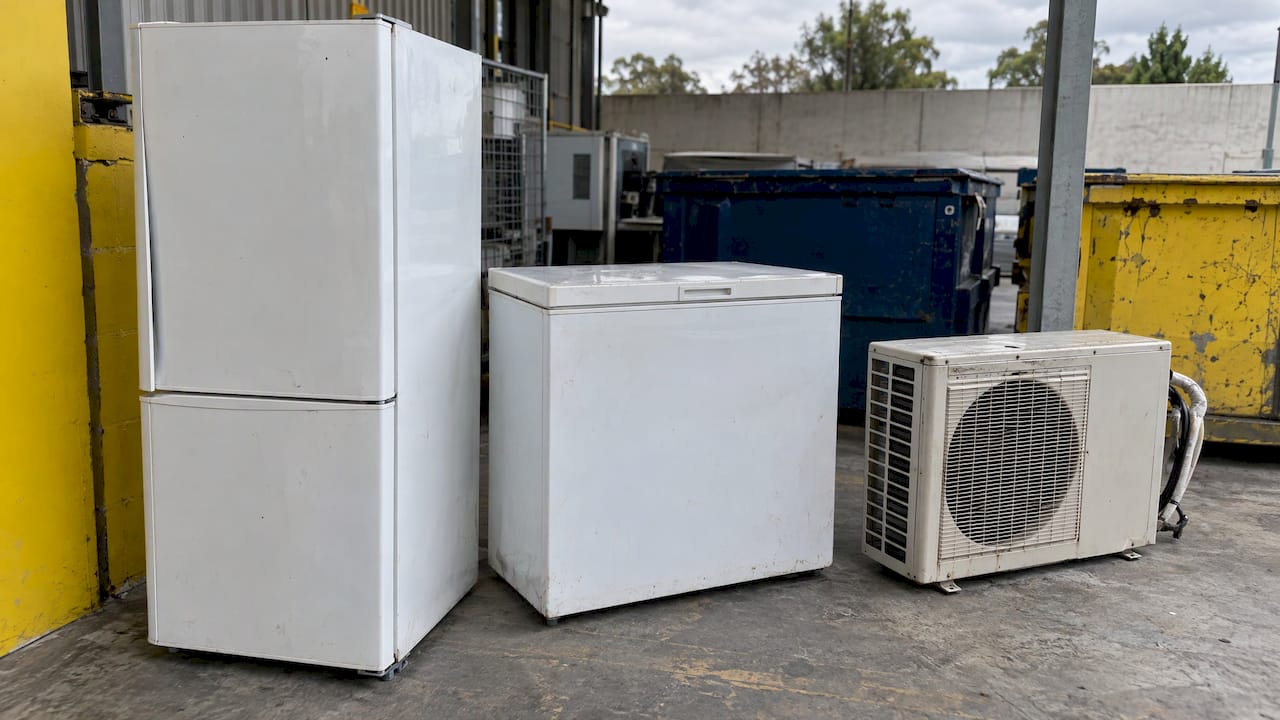
Sustainability Victoria’s whitegoods factsheet says fridges and freezers must be degassed by a licensed technician, either before transport or at the recycling facility. It also says whitegoods should not go to landfill because they may leak hazardous or toxic materials. In practice, that means using a collector that sends them to a facility set up for it.
Other items to separate from the general load:
- Batteries. Loose batteries, power banks and UPS units are a fire risk in a mixed pile. Tape terminals if you are unsure and keep them out of skips. See our page on battery disposal.
- Fluorescent tubes and halogen lights. Not accepted at the City of Melbourne’s e-waste drop-off.
- Smoke alarms and medical equipment. Also not accepted there; ask a specialist.
- Gym equipment with motors or consoles. Treated as powered gear. Our guide to gym equipment disposal in Melbourne covers the routes.
Clearing a whole floor: bulk appliance and fit-out jobs
Bulk jobs are where drop-off trips stop making sense. A relocation, an end-of-lease clearance or a make-good often leaves a mix of appliances, desks, chairs, partitions and cabling. Carrying each category to a different site is slow and exposes you to the risk of a wrongly sorted load.
A few things make these jobs go smoothly in Melbourne buildings:
- Check building rules early. Many CBD towers require loading dock bookings, lift protection and set hours. Tell the collector what the building requires.
- Tag items by pathway. Coloured stickers for data-bearing, standard e-waste, white goods and reuse save time on the day.
- Clear data first. Do the sanitising before the truck arrives, not after.
- Ask for a single collection. Appliances, furniture and general waste in one visit avoids three separate bookings.
How we handle office appliance removal
At Melbourne City Rubbish, we remove e-waste and office appliances alongside furniture, junk and fit-out waste across Melbourne, including the CBD, South Melbourne, Port Melbourne and West Melbourne. Our e-waste collection service is built for offices that want the appliances gone without sorting them across several sites, and our guide to disposing of e-waste in Melbourne explains the process in more detail.
What you can expect from us:
- Experience working in all types of Melbourne commercial buildings, with the aim of leaving no mess and no damage to property.
- Punctuality backed by real-time notifications and a lateness credit.
- A promise to beat any written quote by 5%.
- The option to choose carbon-neutral disposal for your job.
- Regular or one-off collections, billed per job or by volume, with quotes provided per project.
For a full clear-out, our office junk removal and office cleanout services take appliances, furniture and general waste in one visit. If you are leaving a tenancy, our make-good and strip-out teams can handle the rest. To price your job, request a quick quote with a list or photos of what you have.
If sustainability reporting matters to your business, see how we approach eco-friendly rubbish removal for Melbourne businesses.
A simple checklist for the week of removal
- Confirm the list of items and rough quantities.
- Complete and record data sanitising for every storage device.
- Separate white goods, batteries and tubes from standard e-waste.
- Book building access: loading dock, lift and hours.
- Brief whoever is on site on where items are staged and what is staying.
- Keep any paperwork from the collector with your asset register.
An hour of preparation here usually saves far more on the day, because crews are not waiting on keys, lifts or unsorted piles.
Why the rules keep getting stricter
The NTCRS is a product stewardship scheme. Those who import or make TV and computer products above set thresholds take responsibility for recycling a share of them. A review of the Product Stewardship Act noted that the scheme had diverted more than 290,000 tonnes from landfill since 2011, with the recycling target rising to 80% by 2026-27. For offices, the direction is clear: more recovery, more traceability, and more expectation that businesses can show where their equipment went.
FAQ
Can I put an old office microwave or kettle in the general bin?
No. In Victoria, anything with a plug, battery or power cord is e-waste, and it has been illegal to put it in household rubbish or landfill since 2019. Small appliances like microwaves and kettles are on the City of Melbourne’s accepted drop-off list, or you can include them in a booked collection.
Is office e-waste recycling free?
Sometimes. Services under the national TV and computer scheme are free for households and small businesses, but charges may apply for larger businesses, and some drop-off points are not part of the scheme. Anything outside televisions and computers, such as kitchen appliances, is not covered by it.
Do I need to wipe printers and photocopiers?
Yes, if they may have stored scans, job histories or contact lists. The OAIC says hardware holding personal information must be properly sanitised so the data cannot be retrieved. Ask your IT provider how to clear each model before it leaves.
What about fridges and freezers in the staff kitchen?
They are white goods, which are not accepted at the City of Melbourne’s e-waste drop-off. Fridges and freezers must be degassed by a licensed technician before transport or at the recycling facility, so book a collector that sends them to a suitable facility.
How do I dispose of a large volume of appliances at once?
Book a collection rather than making drop-off trips. Sort items by type, clear the data first and arrange building access. Send us a list or photos for a quote on the whole job.
Sources
- E-waste ban, Victorian Government
- E-waste and chemicals, City of Melbourne
- Managing e-waste at resource recovery centres, Sustainability Victoria
- APP Guidelines Chapter 11, OAIC
- Guide to securing personal information, OAIC
- National Television and Computer Recycling Scheme, DCCEEW
- How to recycle e-waste, DCCEEW
- NTCRS co-regulatory arrangements fact sheet, DCCEEW
- Business e-waste recyclers, Sustainability Victoria
- AS 5377, Standards Australia Store
- Whitegoods factsheet, Sustainability Victoria
- Review of the Product Stewardship Act 2011